No request lost in a chat or inbox
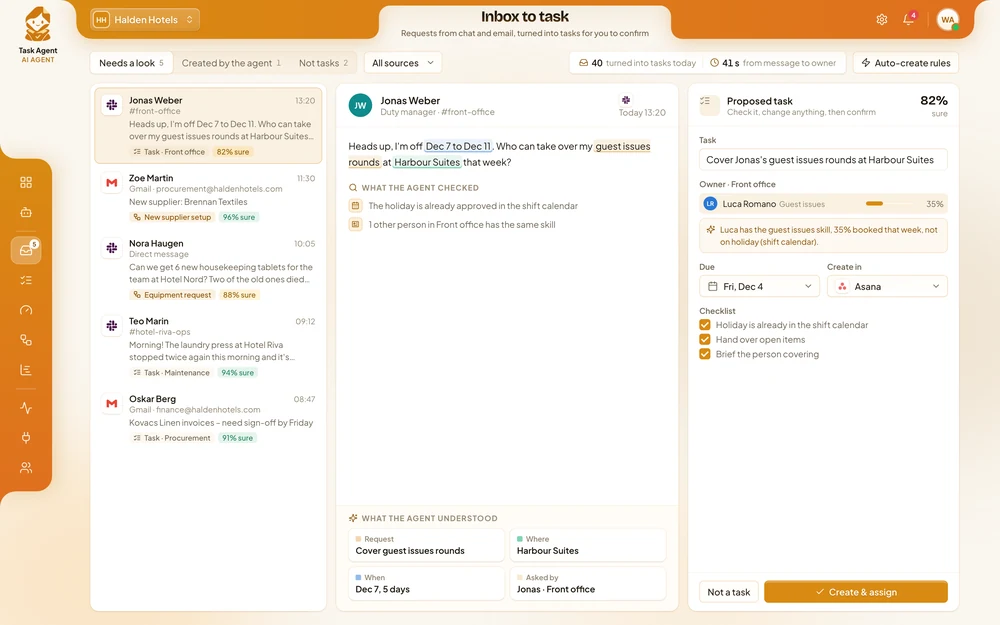
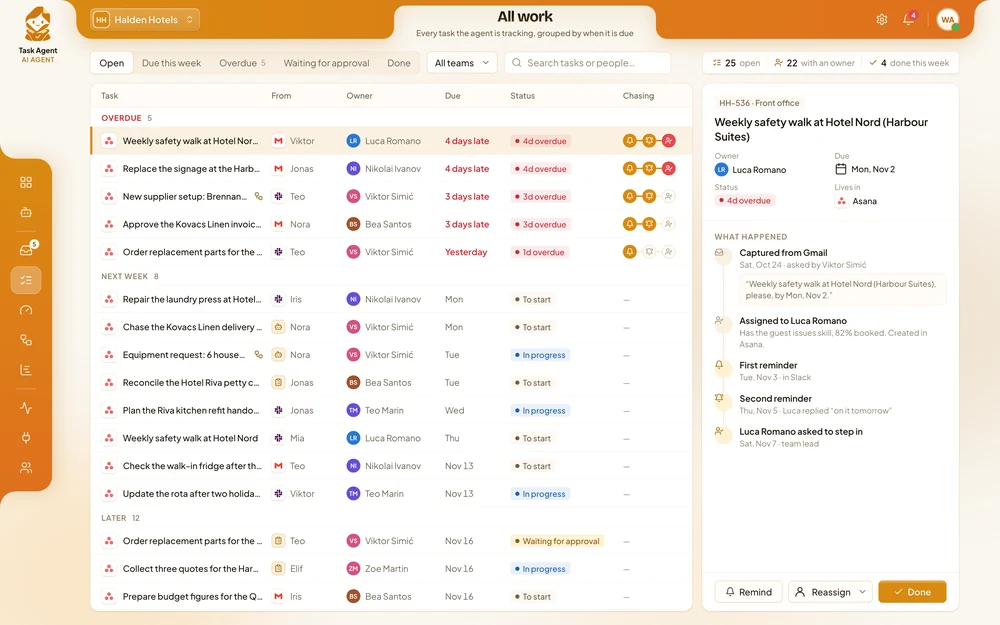
Requests sent in chat or by email become tasks with an owner, a due date and the details that came with them, without anyone copying them by hand.
 Task AI Agent
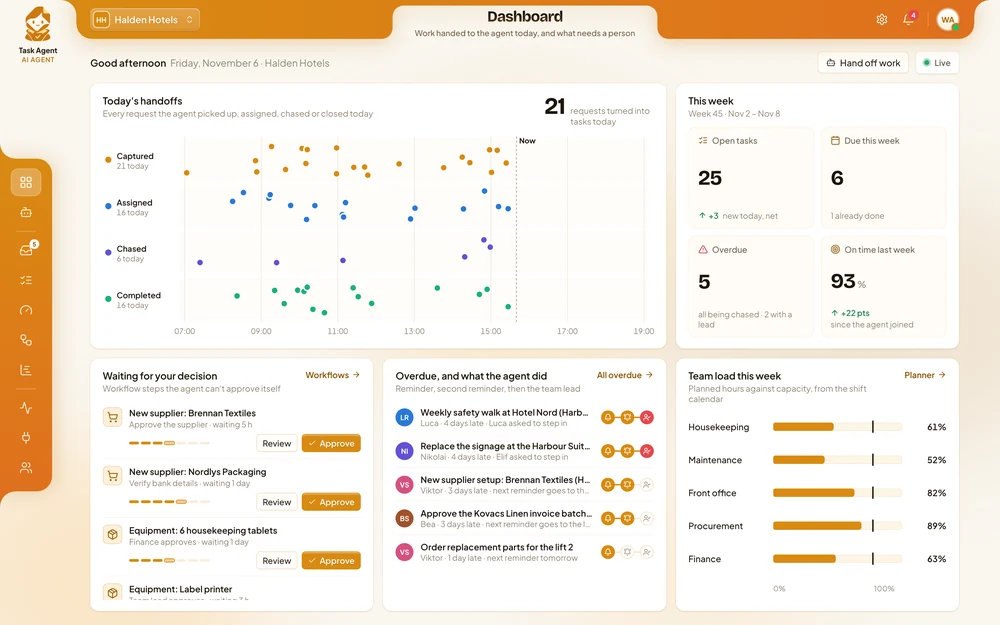
 turns requests from chat and email into tasks with an owner and a due date, then follows up until the work is done. Your teams spend less time chasing and finish more on time, while managers keep the final say on priorities, spending and approvals.
−60%
time spent chasing updates
0
requests lost in inboxes
2×
more tasks finished on time
Requests sent in chat or by email become tasks with an owner, a due date and the details that came with them, without anyone copying them by hand.
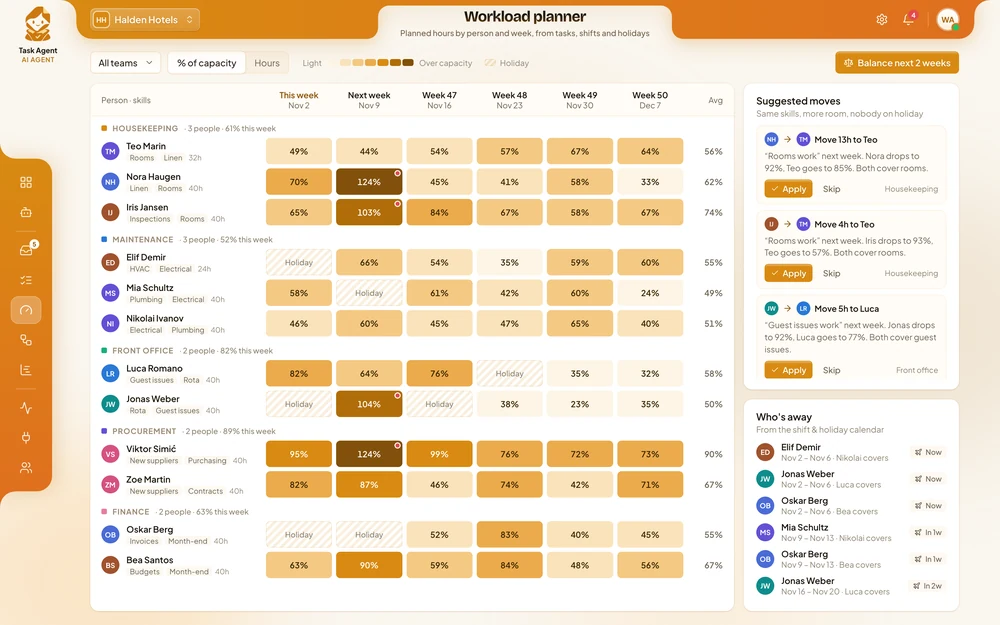
Your project system, staff directory and shift calendar are checked for every task, so nobody gets work while on holiday or already fully booked.
Reminders go out on time, overdue work is followed up and approvals are requested, so team leads only step in when it matters.
Each team and project gets a short update on the day and in the channel you choose, so managers see what is late before customers do.
An operations manager asks for one thing. The agent builds the task list from last year’s opening, assigns each task using the staff directory and sends the items that need budget approval to the manager. The manager approves them.
Operations managerSet up the checklist for opening the new Zagreb office.
Task AgentI created 24 tasks in Asana based on last year’s Ljubljana opening and assigned them to facilities, IT and HR using the staff directory. Due dates work back from 1 March. Two tasks need budget approval, so I’ve sent them to you.
Each one in short: the problem, the results, and how the agent handles the work.
Each site sent 60 to 80 requests a day.
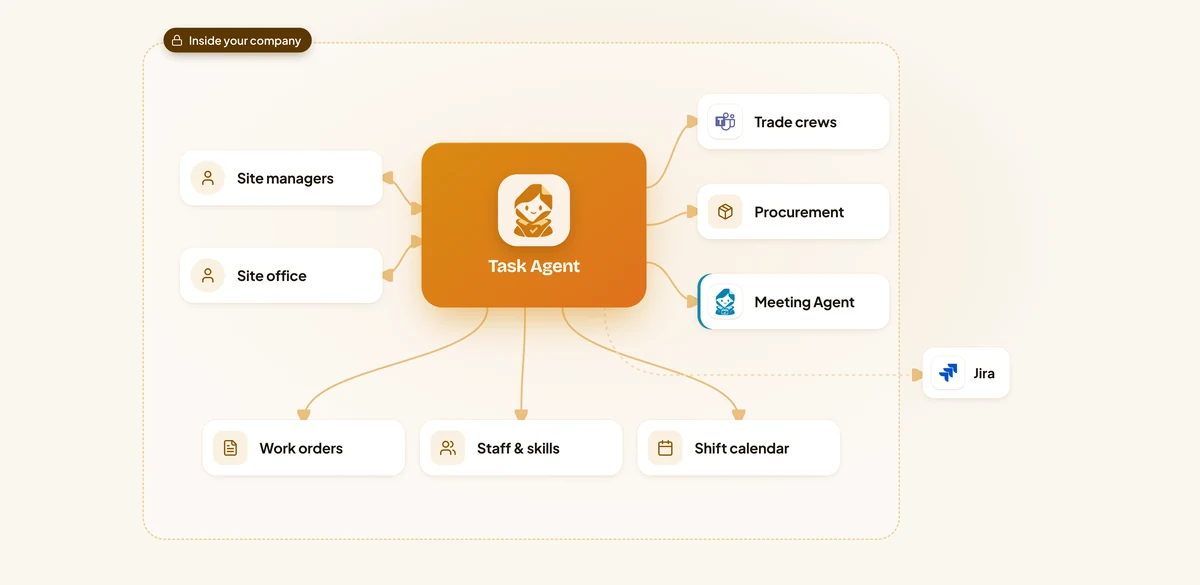
A message in Teams or an email to the site office is read for the site, level, trade and deadline.
It checks trade skills in the staff directory, who is on that site today in the shift calendar, and how much work each person already has.
The work order is created in the internal system, the crew gets a message in Teams, and the person who asked is told who has it and when.
If the job is late, the crew gets a reminder, then a second one, then the site manager is asked to step in.
Duty managers spent the last half hour of every shift writing handover notes.
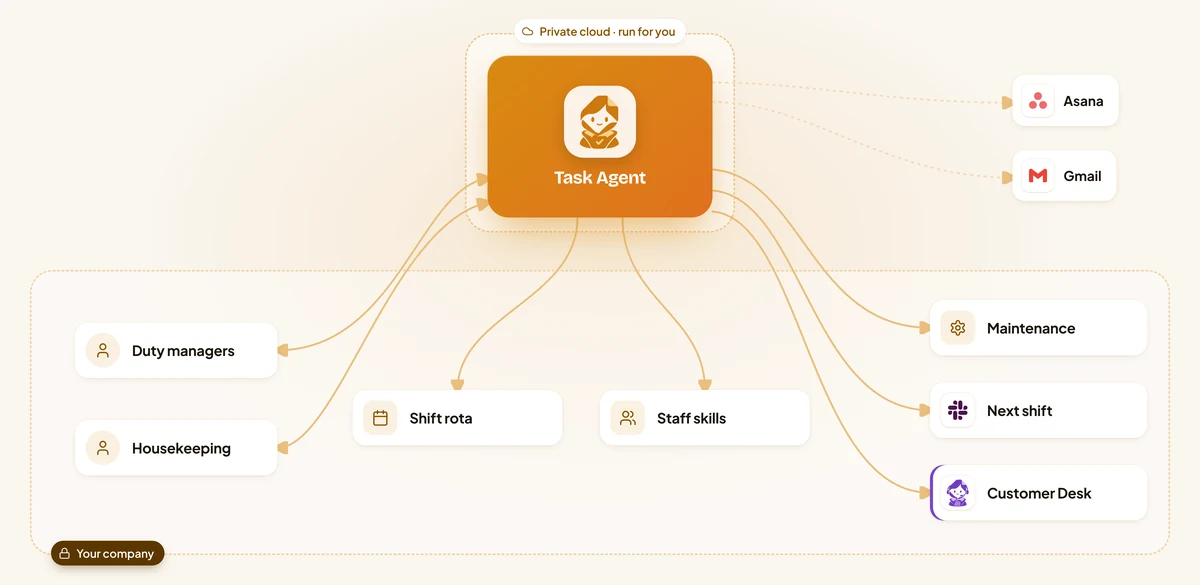
A message like "the laundry press stopped again" becomes a task with the hotel, the equipment, a deadline and the original message attached.
It picks a person with the right skills who is working at that hotel right now, or on the next shift if the job can wait.
Before each shift change it collects every open item, checks each one has an owner on the next shift and posts the handover in the hotel's Slack channel.
Late tasks get a reminder in Slack, then the duty manager is asked.
Every new brief started with a meeting to work out the tasks and a spreadsheet to see who had room.
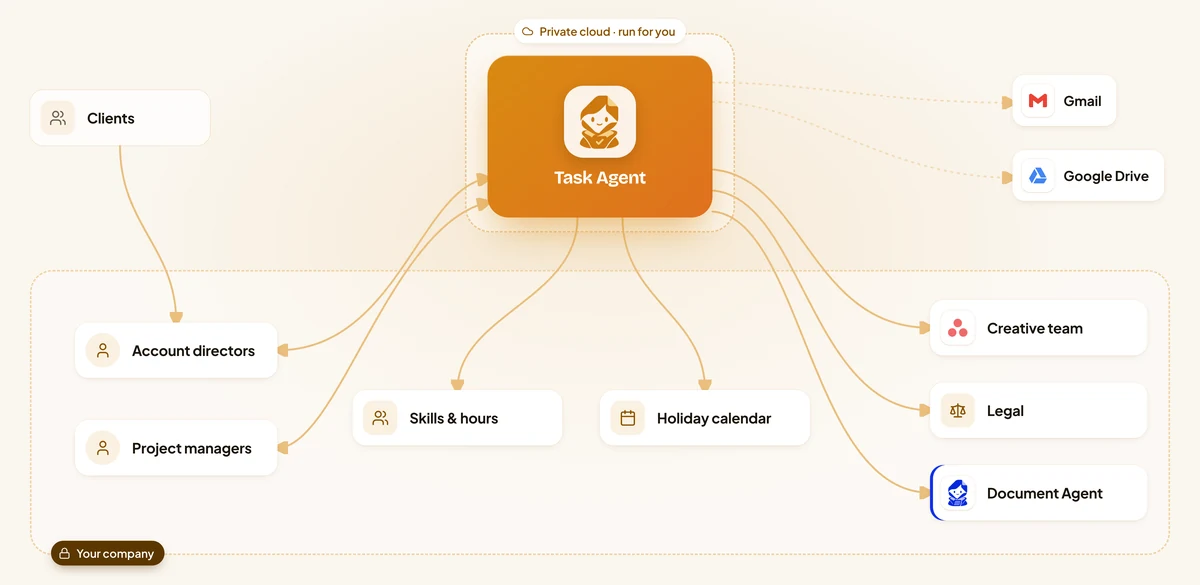
The forwarded email and its attachments are read for the deliverables, deadlines, budget and approvals the client asked for.
It splits the brief into tasks for strategy, copy, design, media, legal and the client review, each with a due date that works back from the launch.
It checks skills, booked hours in Asana and holidays in the team calendar, then suggests an owner for each task.
People get their tasks in Asana and a message in Slack.
Faults were reported in chats, by email and in person.
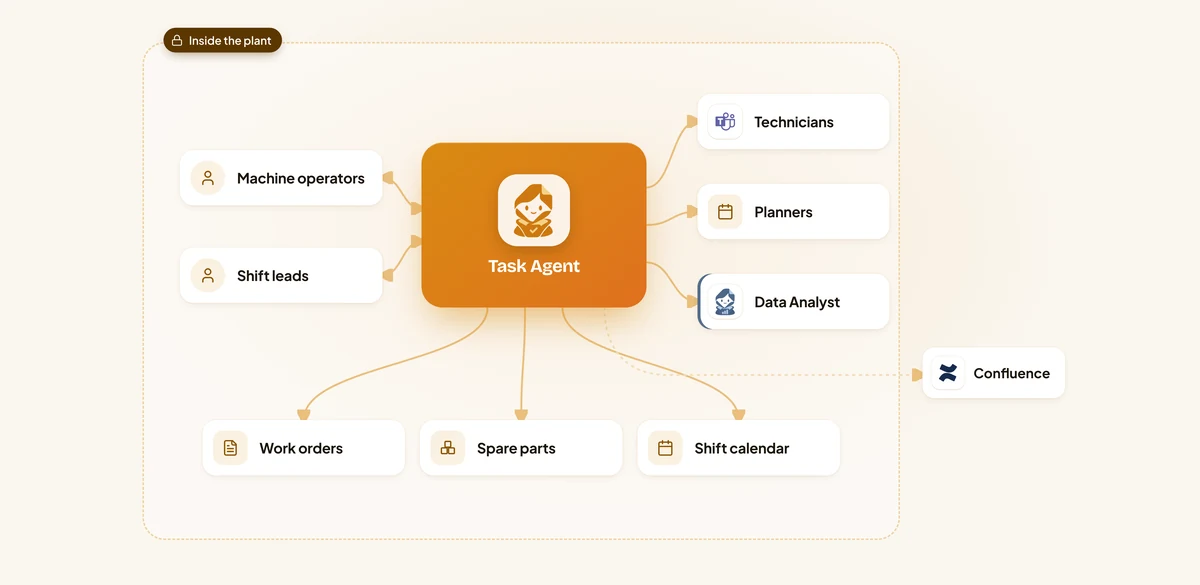
A message like "Press 4 is leaking oil again" is matched to the machine, the line and whether the line has stopped.
The work order is created in the maintenance system with the message, the machine history and the spare parts in stock.
It chooses someone with the right skill who is on shift in that plant now, and sends them the work order and the repair procedure in Teams.
If nobody starts, a reminder goes out, then the shift lead is asked.
Reports arrived by email, in Teams and on paper.
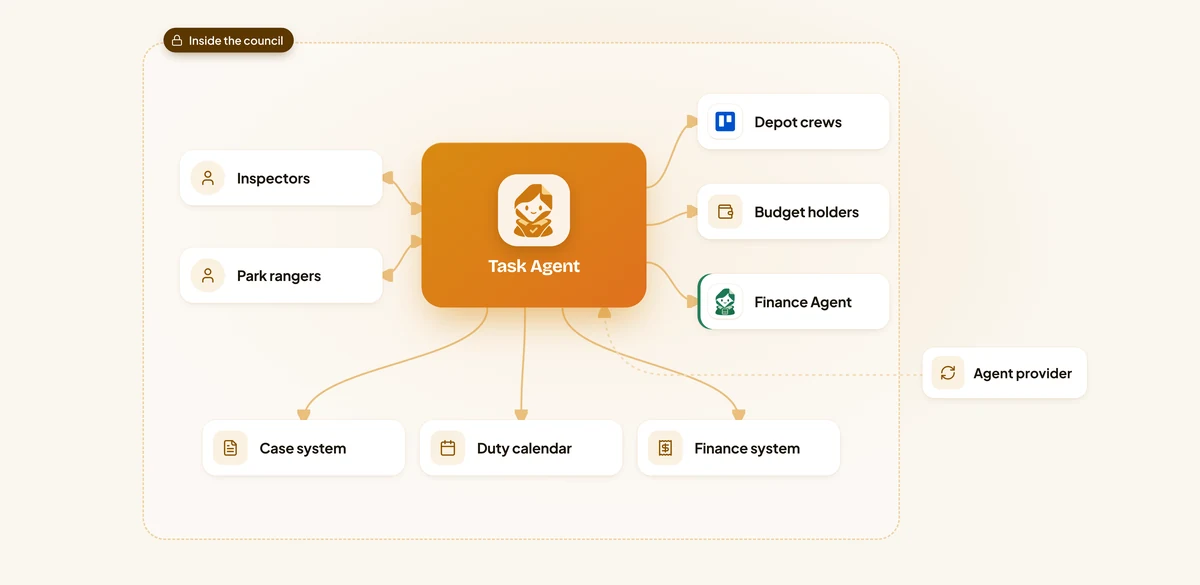
An email or Teams message is read for what is wrong, where it is and how urgent it is.
It creates a case in the council system and gives it to the department and crew that own that kind of work, checking who is on duty in that depot.
If the job needs a quote or parts over the limit, it asks the right budget holder in Teams with the case and the quote attached.
Late work gets a reminder, then the team leader is asked.
Instructions went out by email to every store at once.
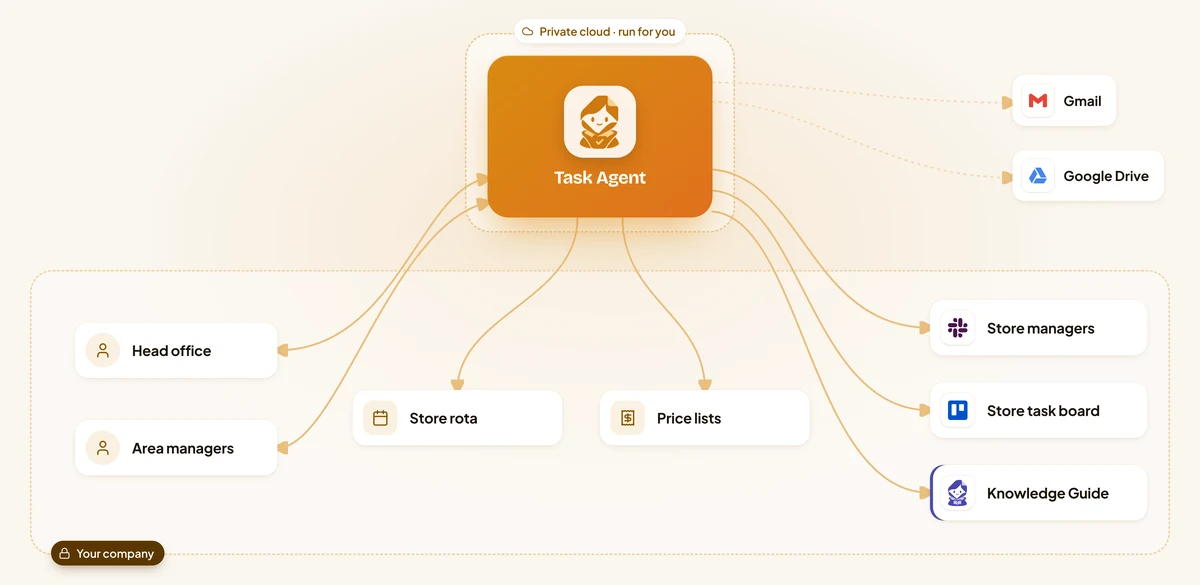
An email from head office is read for what must be done, by when and which stores it applies to.
It adds a card for each store to the Trello board with the checklist attached, and tells the manager on duty in the store's Slack channel.
Stores that have not ticked off the task get a reminder, then a second one, then their area manager is told with the details.
At the deadline it posts one status report for head office: who is done, who is late and why, with the photos stores sent.
Illustrative scenarios with unnamed companies. The figures show the kind of improvement each setup is designed to deliver; actual results depend on volume, the systems connected and how the agent is configured.
We set up the Task AI Agent around how your operations and project teams work today.
Week 1
We sit with the people who do the work, map the process step by step and find the systems that hold the information. You get a written plan before anything is built.
Weeks 2 to 3
We build and configure the agent around your process: your rules, your approvals, your wording, and connections to your databases and the tools your teams use.
Weeks 3 to 4
We install it inside your infrastructure, or in our cloud if you prefer, and test it with your team on real requests until the results meet the standard you set.
From week 5
We train your employees and administrators, hand over the controls and stay with you: monthly reviews, updates you approve, and the next process when you are ready.
Your team sees requests turned into tasks within the first weeks. Most companies see less time spent chasing, and more work finished on time, during the first month after going live.
It depends on how many requests your teams handle, the systems it connects to and where it runs. After a first conversation you get a written proposal with the price, so you can compare it with what the work costs you today.
It takes over the copying, assigning and chasing, so coordinators and team leads spend their time on planning and on the work that needs a decision. People stay in charge of priorities and exceptions.
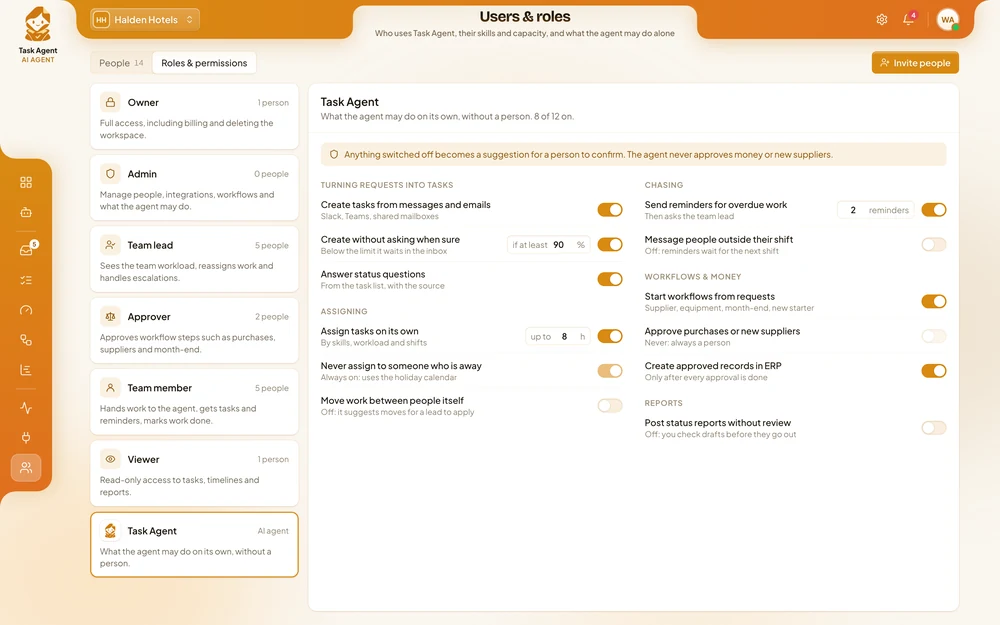
It assigns only by the skills, workload and holidays in your own systems, and anything it is unsure about waits for a person to confirm. Every task can be reassigned with one click, and every action is recorded.
Yes. You decide which requests become tasks on their own, how many hours it may assign, how often it sends reminders and what always needs an approver. It never approves money or new suppliers, and you can pause it at any time.
It can run on your own servers, together with its AI models, so staff records, work orders and project data stay inside your company, no outside AI service is used and we have no access to them.
No. It works with Jira, Asana, Trello, ClickUp, Linear and Airtable, plus your own project system. One team can use Jira and another Asana, and the agent keeps both up to date.
It suggests them based on your rules and deadlines. Managers can change anything, and the agent follows their decision.
One person who knows how work is handed out today, access to test versions of your task tools and staff directory, and a few hours a week from the team while we test.
Yes. Most companies start with one team or one shared mailbox, see the results, and then extend the agent to other teams and sites.
Tell us where requests reach your teams, how work is handed out today and where it gets stuck. You get a written proposal with the expected results, the setup, a timeline and a price.