Dates found in minutes, not days
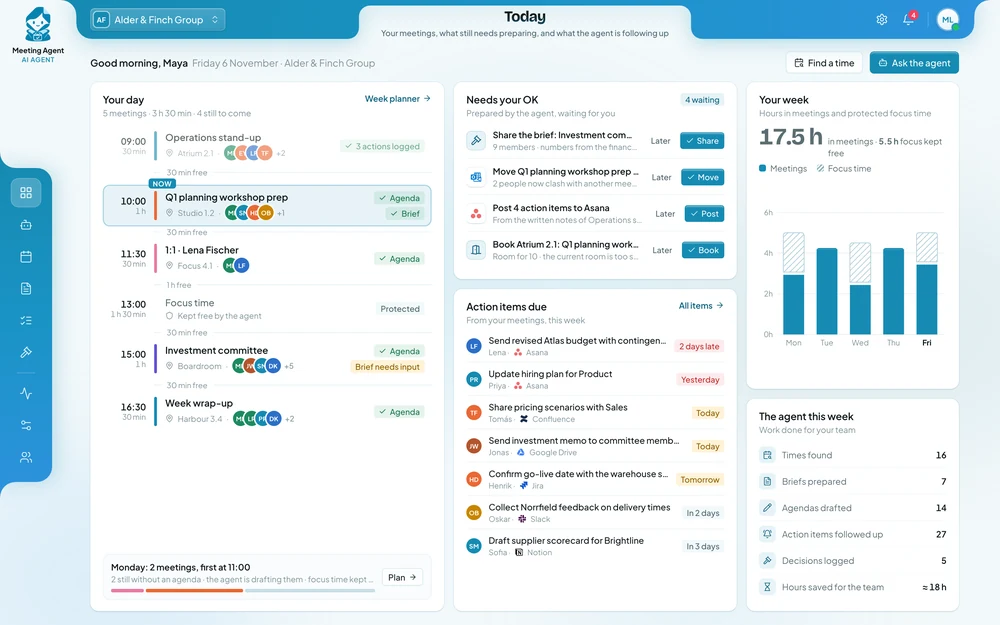
The agent checks everyone’s calendar and your room booking system and proposes a time that works, without the back-and-forth emails.
 Meeting AI Agent
 finds the time and the room, prepares a brief from your own reports and turns the written notes into tasks with owners and dates. Your teams spend less time arranging and chasing meetings, and the people who chair them stay in control of what is shared and decided.
−70%
time spent scheduling
100%
of meetings start with a brief
92%
of actions closed on time
The agent checks everyone’s calendar and your room booking system and proposes a time that works, without the back-and-forth emails.
A brief with the latest figures, documents and open tasks reaches attendees before the meeting, so time goes on decisions instead of reading numbers aloud.
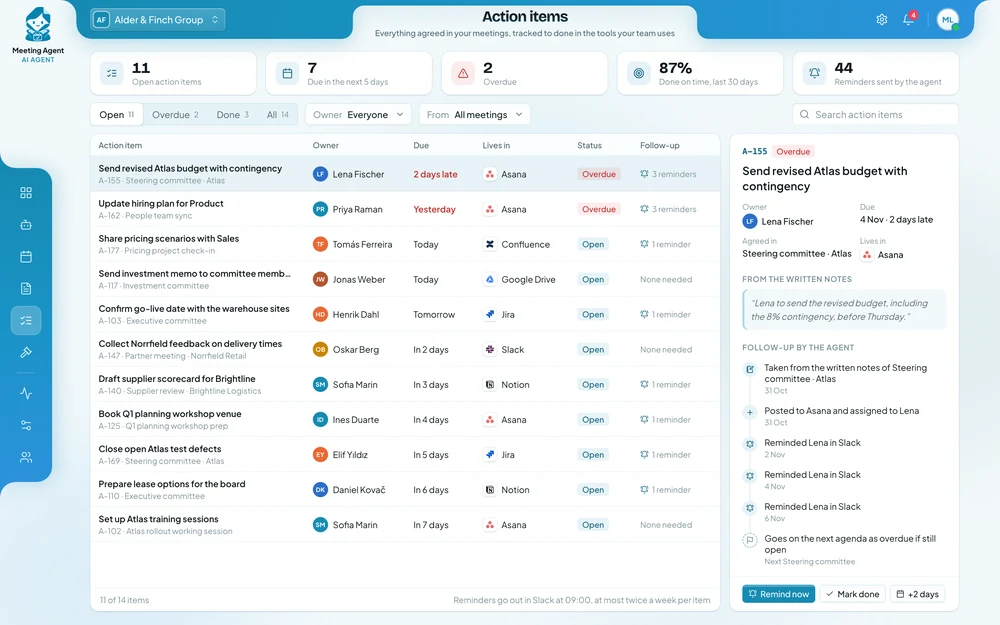
Written notes shared after the meeting become tasks with owners and due dates in Jira or Asana, the same day they are agreed.
Owners are reminded before deadlines, and anything still open goes onto the next meeting’s agenda automatically.
An office manager asks for a planning meeting with six regional leads. The agent finds a slot that suits everyone, books a room and prepares the brief. The invitations wait in Outlook, ready to send.
Office managerSet up the Q1 planning meeting with the regional leads.
Meeting AgentAll six leads are free for 90 minutes on 14 January. I’ve booked the Atrium room and attached a brief with Q4 results and open projects. The invitations are in Outlook.
Each one in short: the problem, the results, and how the agent handles the work.
Two people in the board office spent most of the fortnight before each board meeting chasing papers by email.
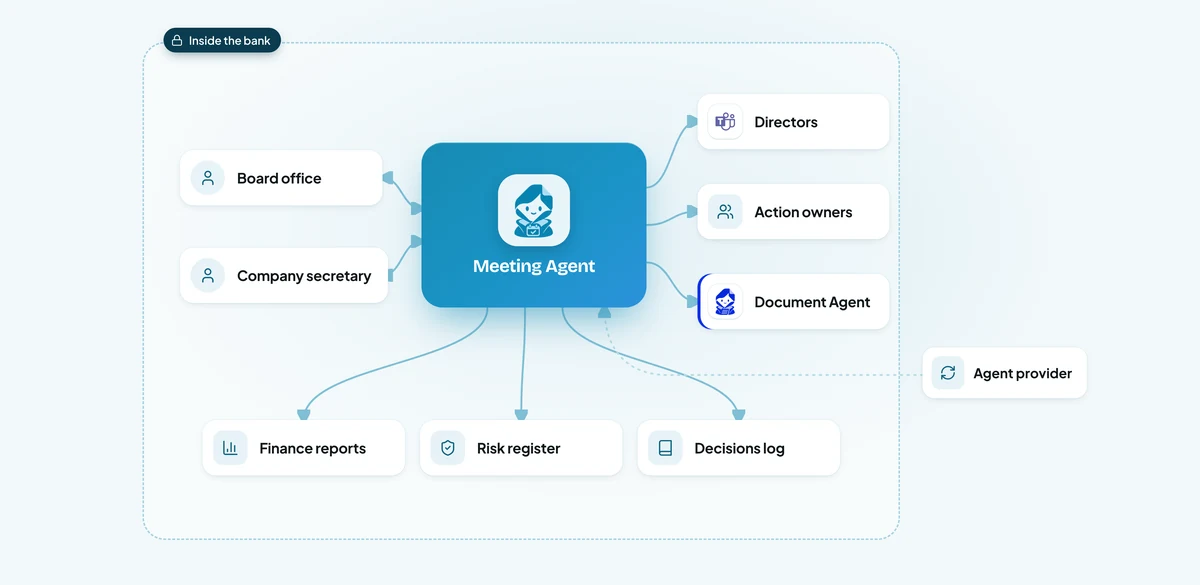
From the board date, the agent books paper deadlines in each contributor’s calendar and reminds them in Teams, so papers arrive on time without a chase.
Capital, liquidity and credit figures come straight from the finance reports and the risk register, each with its source and date.
The company secretary checks the draft.
From the minutes the secretary writes, the agent logs each resolution in the decisions log with an owner and a date, and follows up until it is closed.
Site managers wrote notes during the walk and typed them up when they could, often days later.
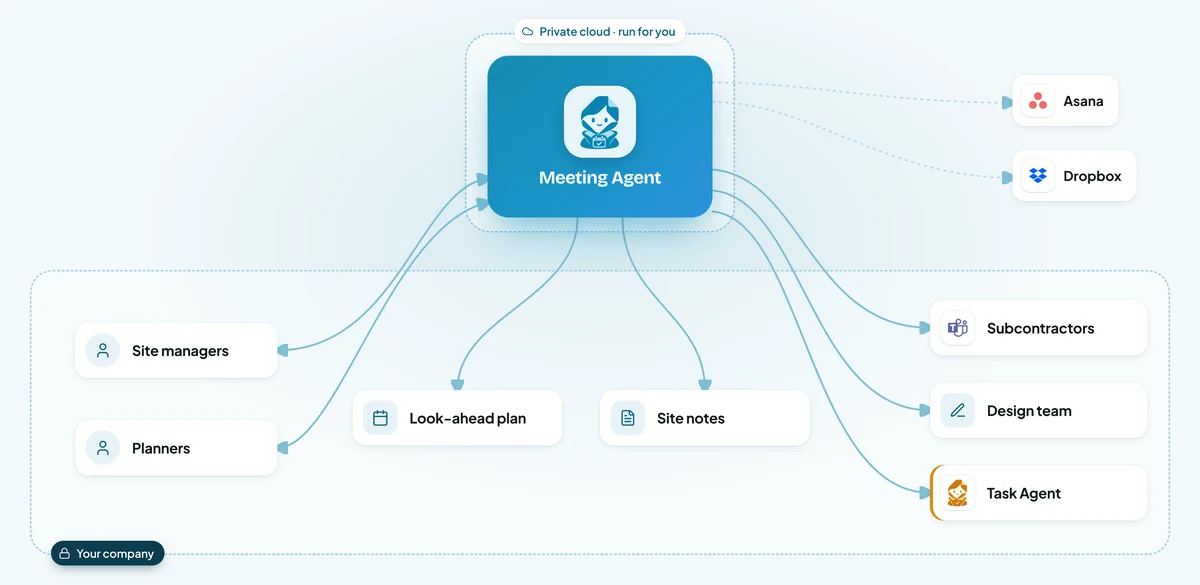
The agent builds the agenda from the three-week look-ahead, last week’s open items and any drawing revisions since the last meeting.
After the walk, the site manager types short notes on a tablet.
The same day, each subcontractor lead gets their actions in Microsoft Teams, and the actions appear in Asana with the meeting linked.
On Friday the agent checks what is done, reminds owners once, and puts anything still open at the top of next Monday’s agenda.
Committee secretaries spent up to three days finding a date for each meeting.
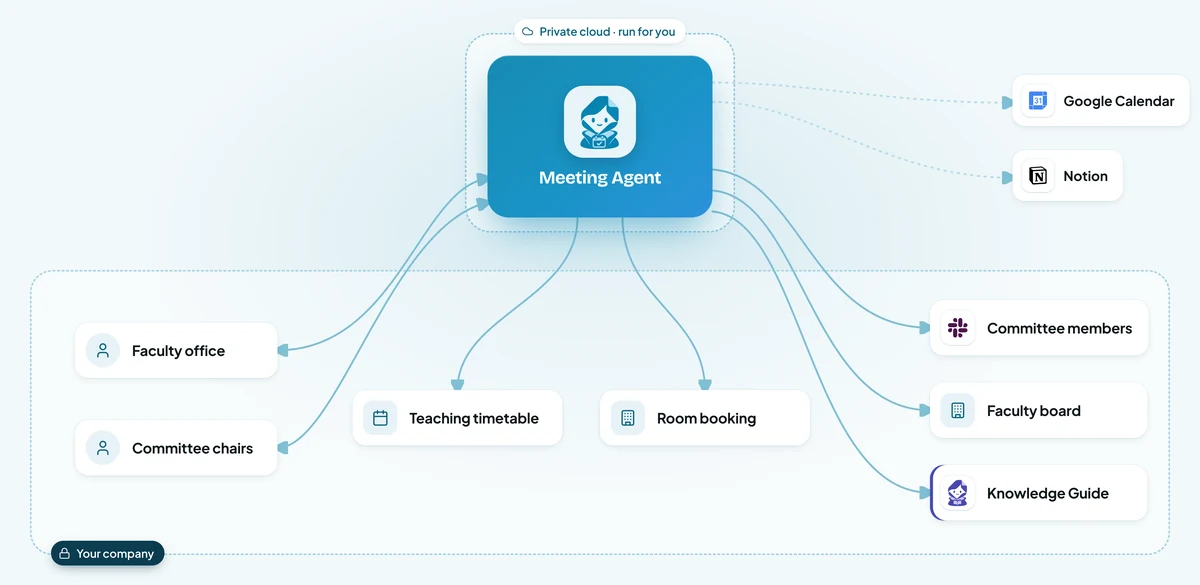
The agent combines personal calendars with the teaching timetable, so a lecture blocks the time even when it is not in someone’s calendar.
It suggests two or three times when everyone is free, a suitable room is available and nobody loses a research day.
Members submit items in Notion or Slack.
Approved papers go out on time.
An operations analyst pulled figures from four systems late every Monday evening.
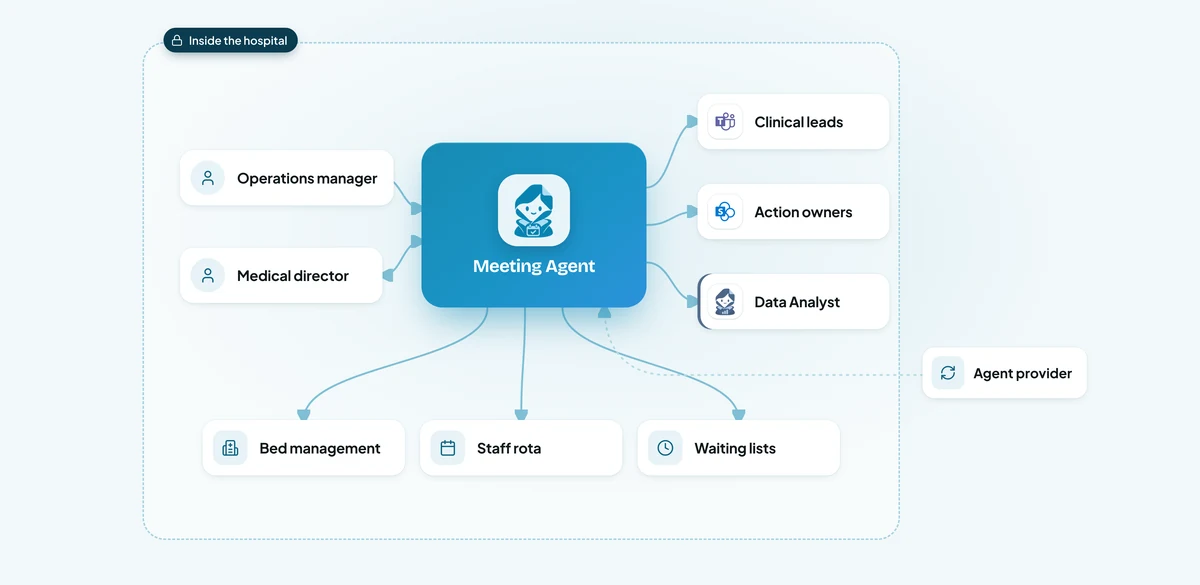
At 05:30 on Tuesday the agent reads bed occupancy, open shifts, waiting list changes and new incidents for each department, as totals only.
Each department head gets the same layout: four numbers with last week’s values, anything over its threshold flagged, and open actions from last time.
The operations manager checks the brief at 06:15.
From the written minutes, actions go to their owners in Teams and are tracked in SharePoint.
Each partner spent about 26 hours a week in meetings, a third of them internal status updates.
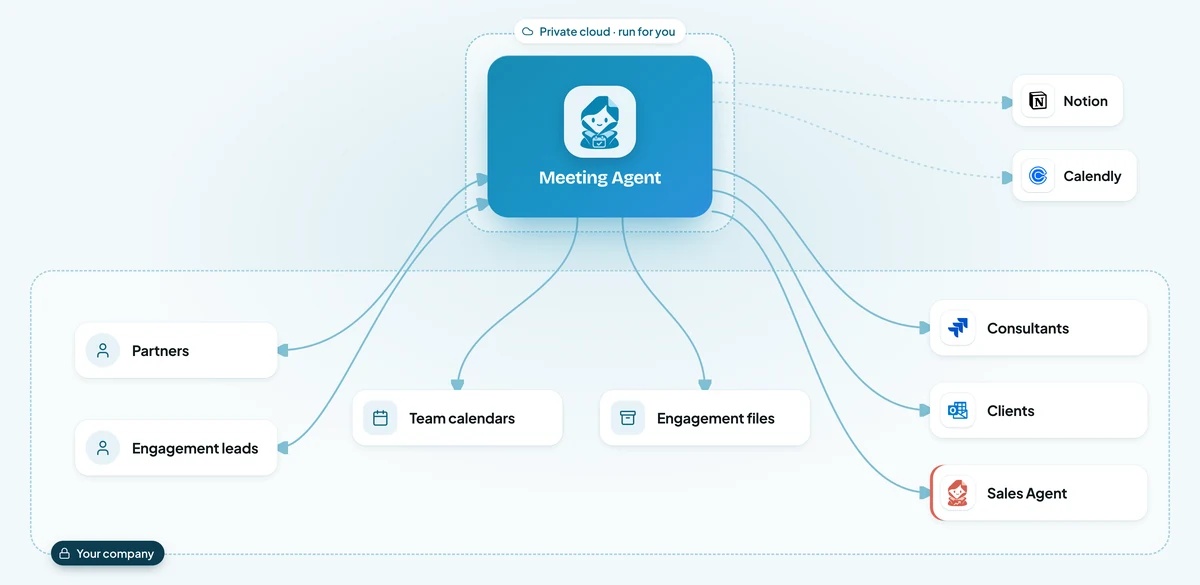
The agent offers clients times through Calendly and finds slots in Outlook for the team, keeping two focus blocks a day free for every partner.
Two days before each steering meeting it builds the brief from Jira status, the engagement page in Notion and open actions, for the engagement lead to check.
From the written notes, internal actions go to Jira straight away.
Every Friday it lists recurring meetings without decisions or actions lately, and suggests replacing them with a written update.
Reports often arrived on deadline day without a financial or legal section, and the team spent the publication week chasing authors by email and chat.
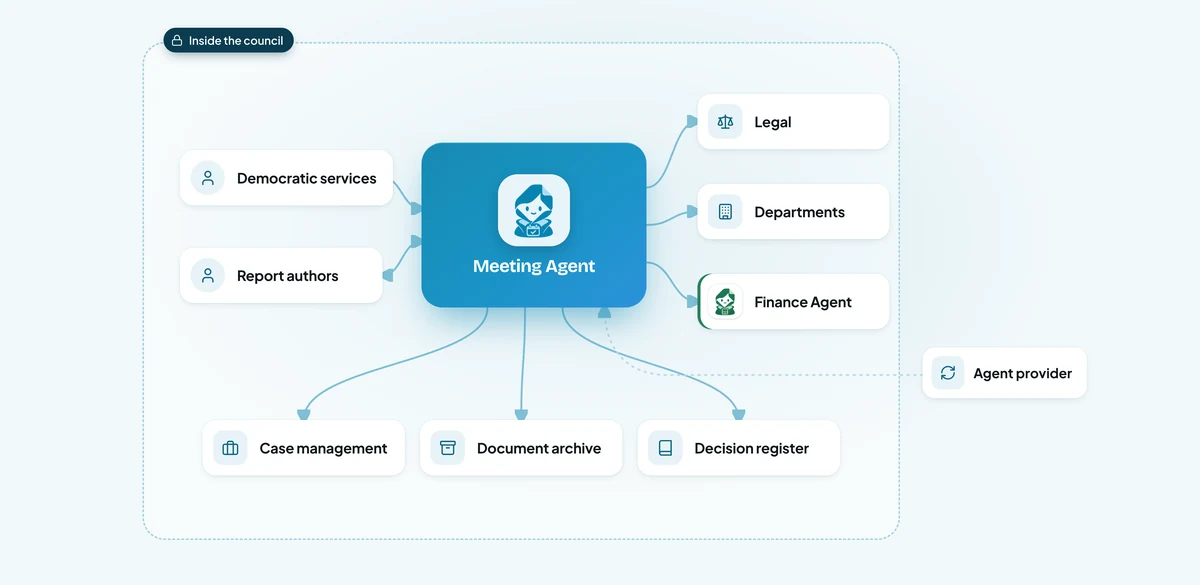
The agent lists the reports due for each committee and reminds authors in Teams two weeks, one week and two days before the deadline.
It checks for a summary, financial implications and legal sign-off, and sends incomplete reports back to their author with what is missing.
Complete reports become the draft agenda and papers pack, ready for democratic services to check and publish seven days ahead.
Once the minutes are approved, the agent records each decision in the decision register and sends actions to the departments responsible.
Illustrative scenarios with unnamed companies. The figures show the kind of improvement each setup is designed to deliver; actual results depend on volume, the systems connected and how the agent is configured.
We set up the Meeting AI Agent around how your managers, coordinators and board or committee secretaries run meetings today.
Week 1
We sit with the people who do the work, map the process step by step and find the systems that hold the information. You get a written plan before anything is built.
Weeks 2 to 3
We build and configure the agent around your process: your rules, your approvals, your wording, and connections to your databases and the tools your teams use.
Weeks 3 to 4
We install it inside your infrastructure, or in our cloud if you prefer, and test it with your team on real requests until the results meet the standard you set.
From week 5
We train your employees and administrators, hand over the controls and stay with you: monthly reviews, updates you approve, and the next process when you are ready.
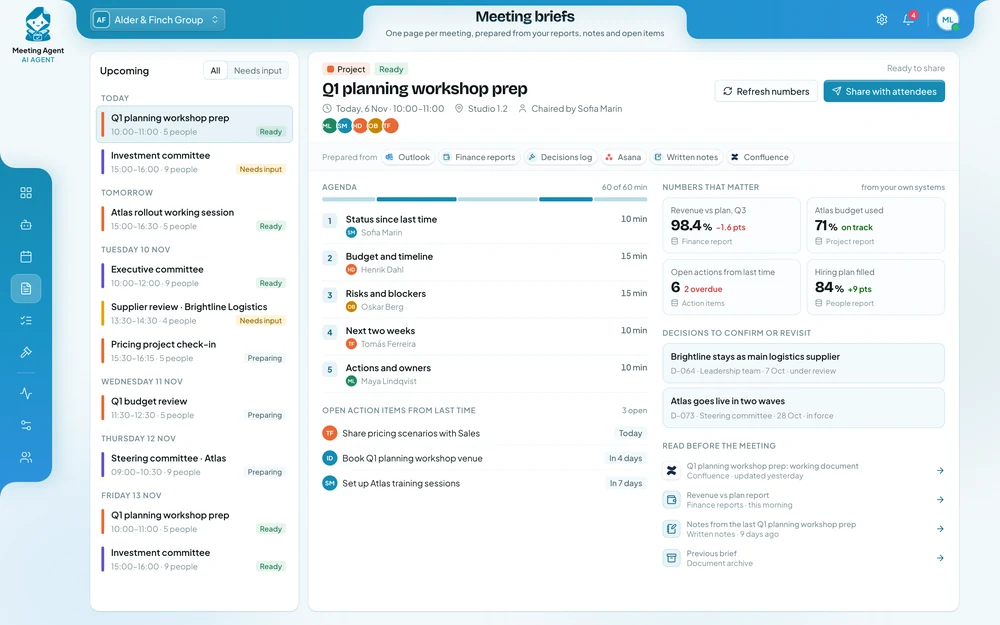
Your team tests the agent on real meetings within the first weeks. Most organisations see the time saved on scheduling and preparation, and more actions closed on time, during the first month after going live.
It depends on how many people and meetings it supports, the systems it connects to and where it runs. After a first conversation you get a written proposal with the price, so you can compare it with what the work costs you today.
It takes over the chasing, copying and reminding, so the same people can support more meetings and spend their time on the content. What goes on the agenda, what is shared and what is decided stays with your people.
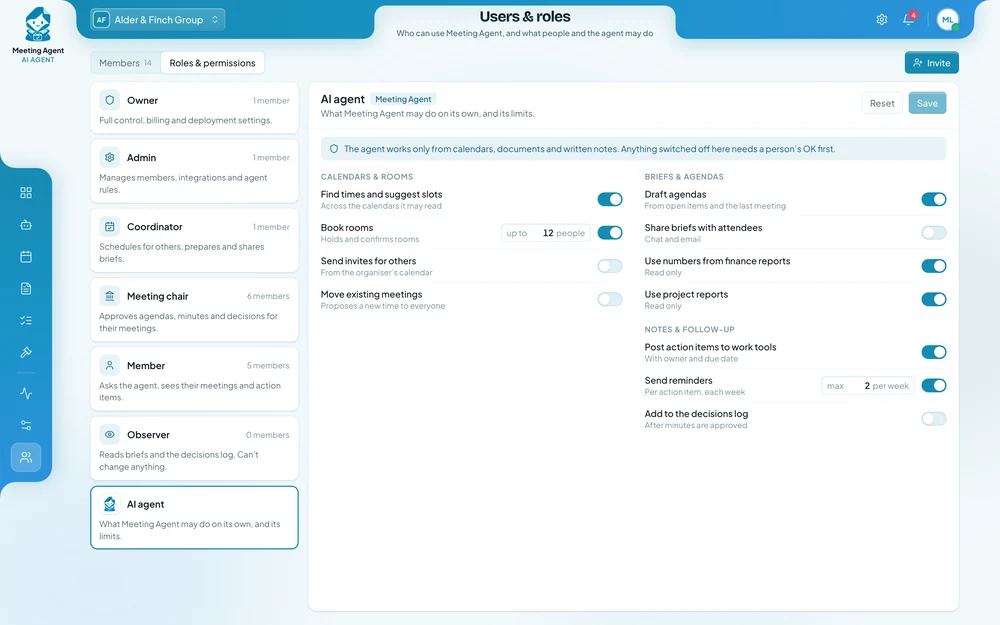
It takes figures only from your own reports and systems, shows the source and date of each one, and nothing is shared until the person who owns the meeting approves it. Every brief and action is logged, so you can review and correct it.
Only if you allow it. Otherwise it suggests new times and the organiser confirms. You decide what it may book, send and post alone, and you can pause it at any time.
It can run on your own servers, with its AI models, so board papers, notes and figures stay inside your organisation and no outside AI service sees them. We have no access to it, and your data is never used to train AI models.
No. It works with Outlook and Google Calendar, your room booking system, Microsoft Teams, Slack, Jira, Asana, Notion and Confluence.
No. It never joins a meeting. It works in writing only: calendars, briefs, documents, the notes your team shares afterwards and the tasks that follow.
One person who knows how your meetings are organised today, access to test versions of the calendars and systems involved, and a few hours a week from the team while we test.
Yes. Most organisations start with one recurring meeting, such as a management or committee meeting, see the results, and then extend the agent to other teams.
Tell us which meetings take the most preparation, where the figures and papers come from and what happens to actions afterwards. You get a written proposal with the expected results, the setup, a timeline and a price.