Fewer repeated questions
Policy, procedure and how-to questions are answered in Teams, Slack or the intranet, so HR and IT stop answering the same things every day.
 Knowledge Guide AI Agent
 answers employees’ questions from your intranet, policies and documents in seconds, always with the source. HR and IT answer far fewer repeated questions, and each person only gets answers from documents they are already allowed to open.
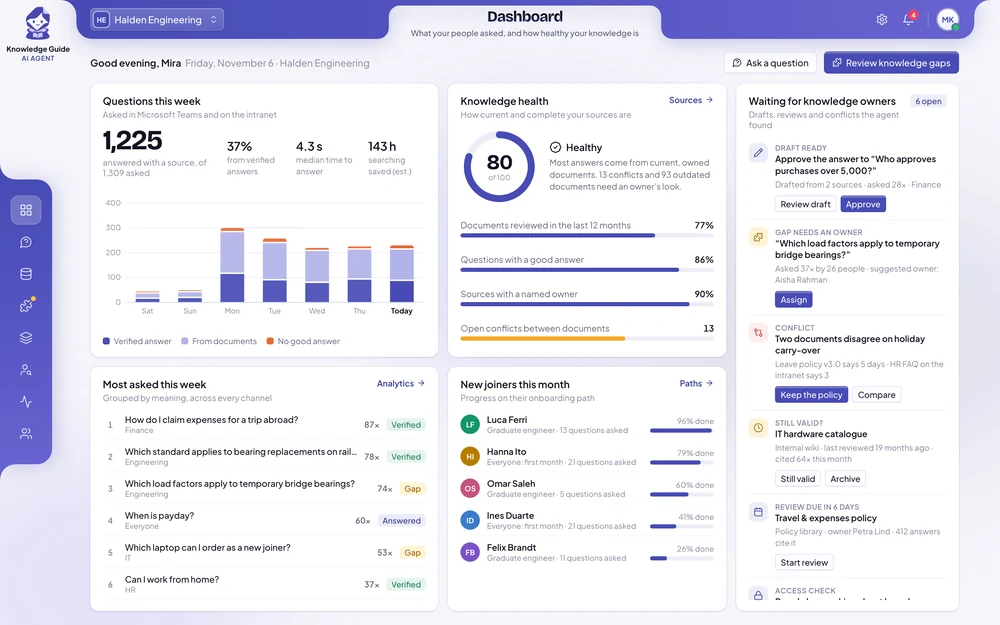
−40%
questions to HR and IT
< 10 s
per answer, with its source
2×
faster onboarding
Policy, procedure and how-to questions are answered in Teams, Slack or the intranet, so HR and IT stop answering the same things every day.
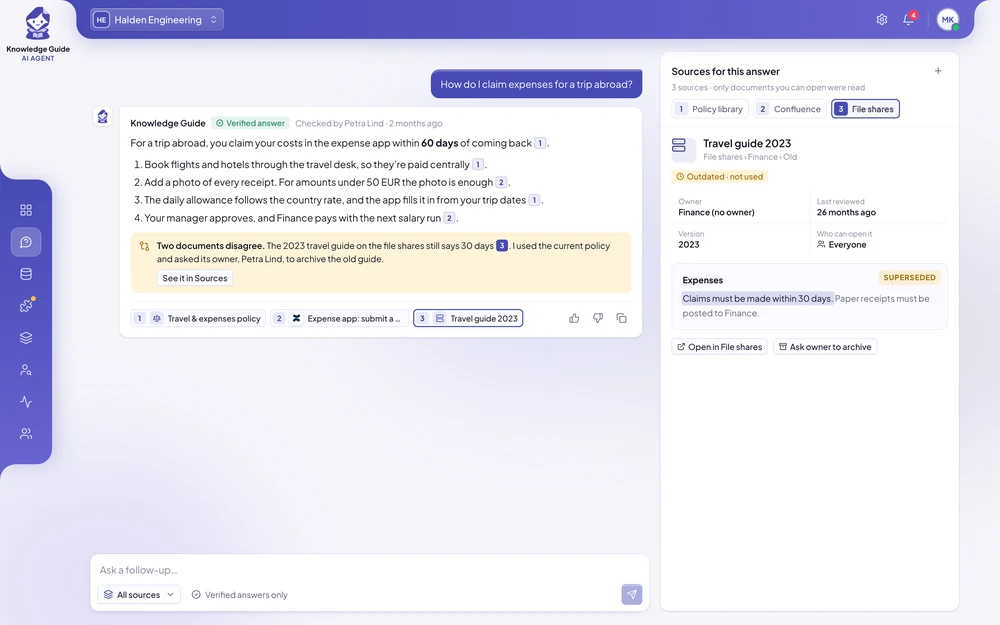
Every answer links to the exact page it came from, so employees can open the source and check it themselves.
Each employee only gets answers from documents they are already allowed to open. Confidential files stay with the people who may see them.
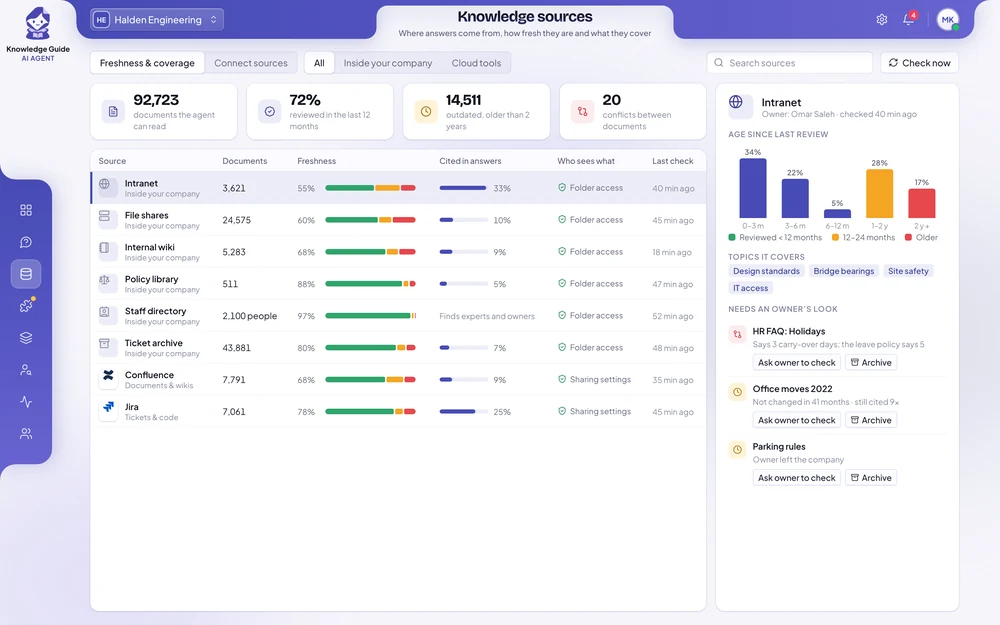
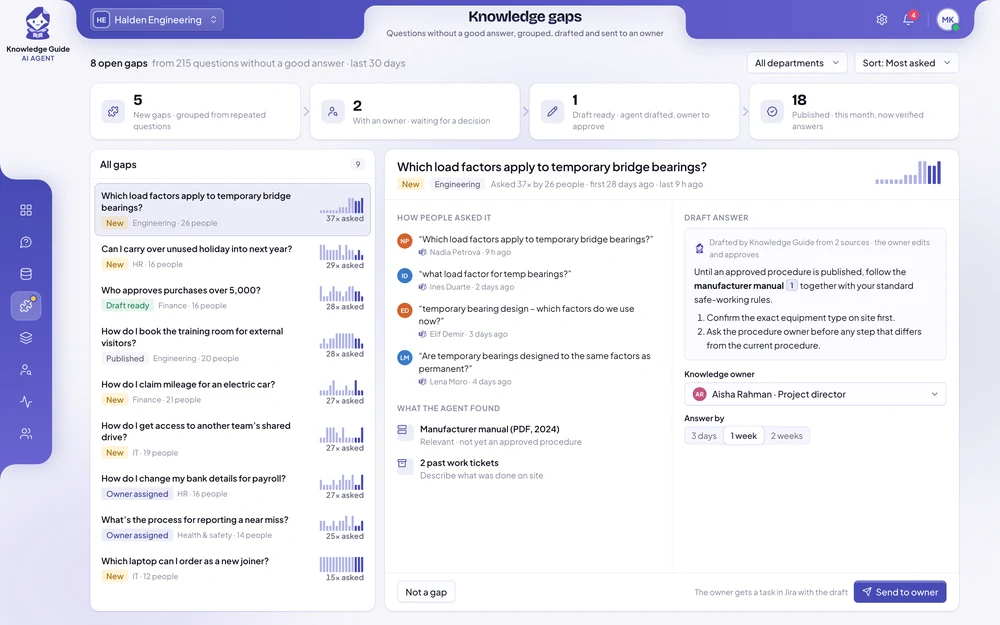
Outdated pages and documents that contradict each other go to their owners, and repeated questions become verified answers.
An employee asks one question in Microsoft Teams. The agent finds the current remote work policy, checks the conditions and offers to start the request. The answer shows its source, so the employee can check it.
EmployeeCan I work from abroad for two weeks in July?
Knowledge GuideYes, for up to 20 days a year inside the EU, with your manager’s approval (remote work policy, updated May 2026). Outside the EU, HR must check first. Shall I start the request?
Each one in short: the problem, the results, and how the agent handles the work.
Answers were spread across file shares organised by project number, a drawing register, an internal standards library and team notes in Confluence.
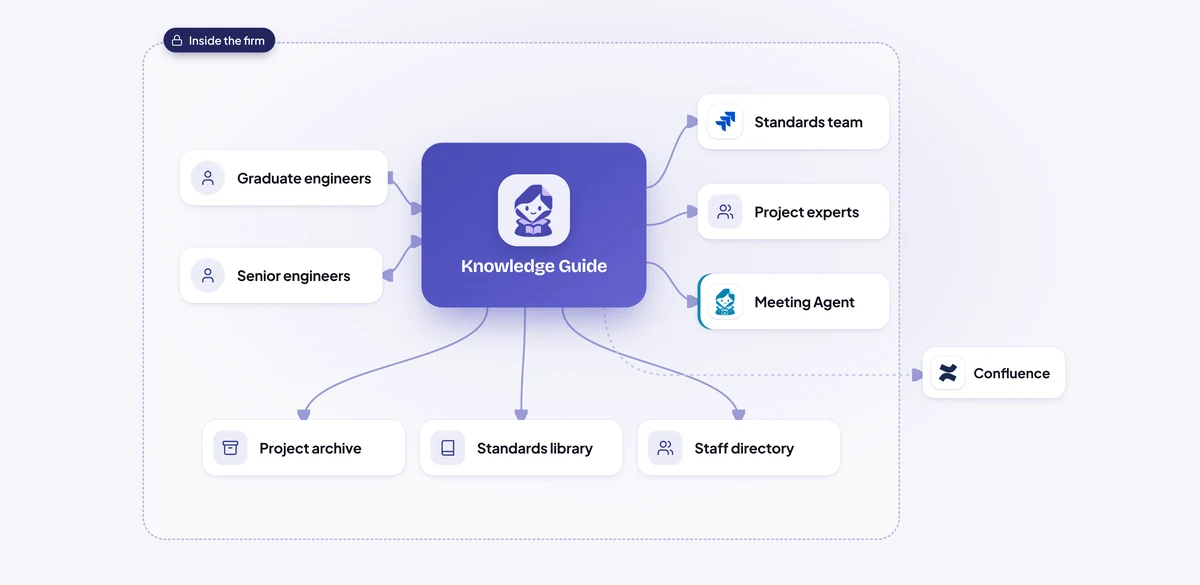
A graduate asks in Teams how the firm checks a bridge bearing replacement.
The answer follows section 4.2 of the current internal standard and cites it, then links two comparable past projects and their latest drawings.
It notices that a 2016 calculation template still on the file shares conflicts with the current standard.
From the staff directory and the project archive, it finds the principal engineer who led the last three similar projects, so the graduate knows exactly who to ask for a review.
The manuals live in Google Drive, station procedures in Confluence and crew bulletins in Microsoft Teams channels.
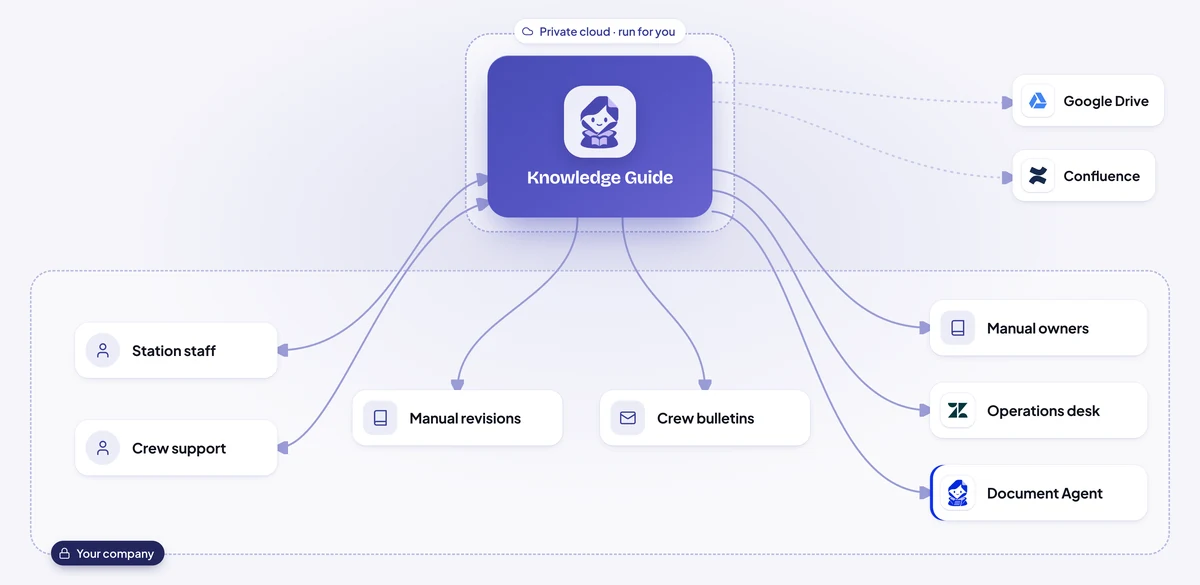
A station agent on a night shift asks in Teams whether a second walkaround is needed after de-icing in freezing rain.
The agent ignores superseded revisions and old copies in shared folders.
The reply quotes the rule in plain words and cites the manual, revision, section and page, so staff can open the source and check it in seconds.
When a crew bulletin says something different from the manual, the agent flags it to the manual's owner with both texts side by side.
Technicians asked each other in Microsoft Teams, and the answers they got depended on who replied.
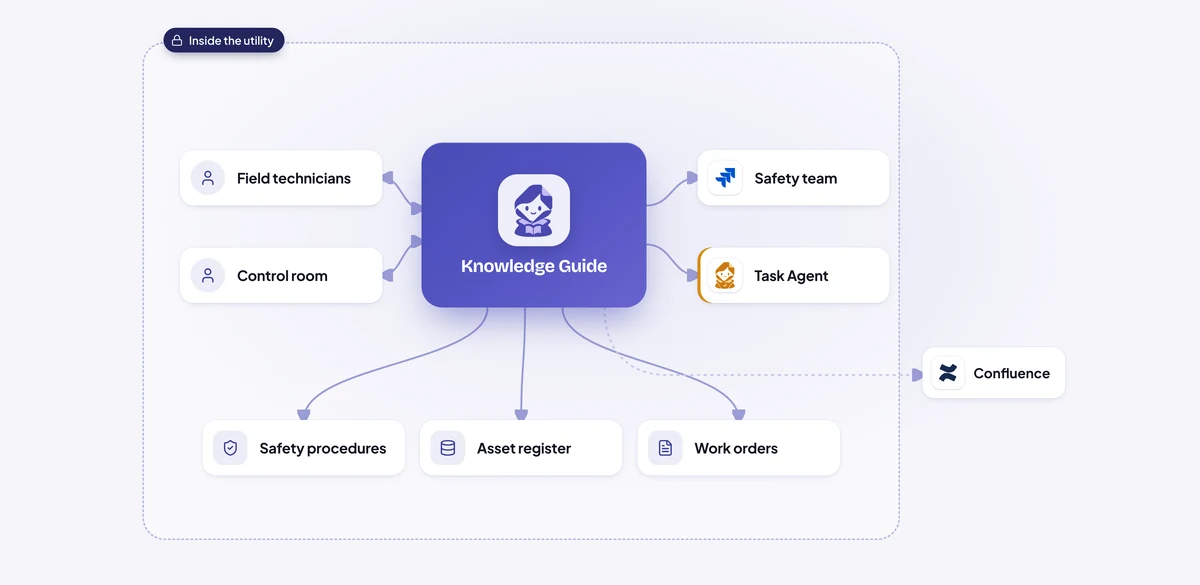
The agent recognises that 37 differently worded questions are really one, and that none of them got a good answer.
It drafts six steps from the manufacturer manual and two past work orders where the isolation was done correctly, and checks the asset register for where the new units are installed.
It finds the safety procedures owner in the staff directory and opens a task in Jira with the draft, the sources and the original questions attached.
The owner edits one step and approves.
Pharmacists, technicians and counter staff had questions at the busiest moments: a cold-chain delivery arriving before opening, a damaged carton to return in the evening, a closing checklist on a new counter colleague's second day.
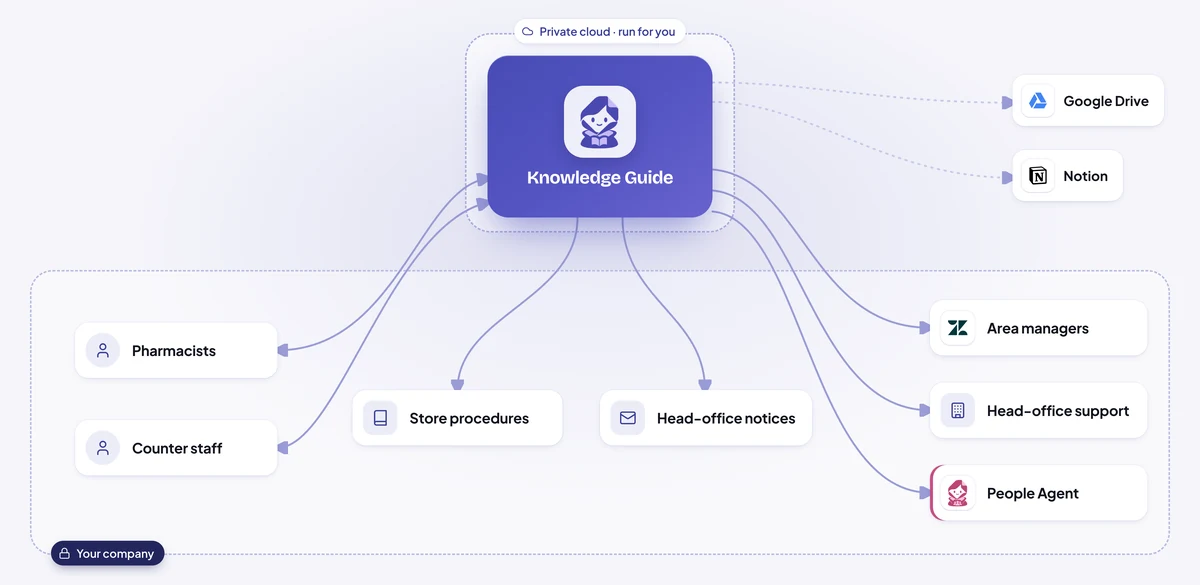
Staff ask in their own words in Microsoft Teams, at any hour the store is open.
It replies with the relevant step of the current SOP, citing the document and step number so staff can open it and check.
Anything that sounds like a patient's health question is handed back to the pharmacist.
When something is actually wrong, such as a fridge that won't hold its temperature, it opens a Zendesk ticket with the details attached and tells the store what happens next.
Procedures were spread across the intranet, a policy and regulation library, department file shares and a procedures wiki.
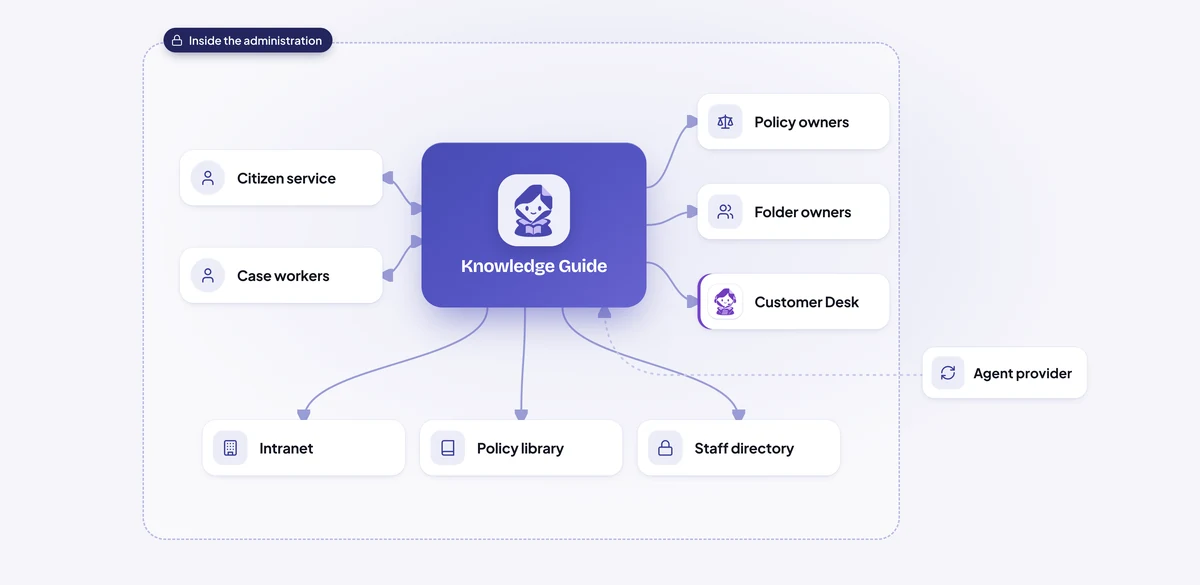
When an employee asks in Microsoft Teams, the agent knows their department and what they may open, using the administration's own staff directory.
It searches only the documents the employee already has access to.
Every answer cites the procedure, section and version, so the employee can open it and check.
If the full answer sits in a folder the employee can't open, the agent shares what they may see and names the policy owner to ask, from the staff directory.
Before every proposal, consultants posted "has anyone done this before?" in Slack and waited.
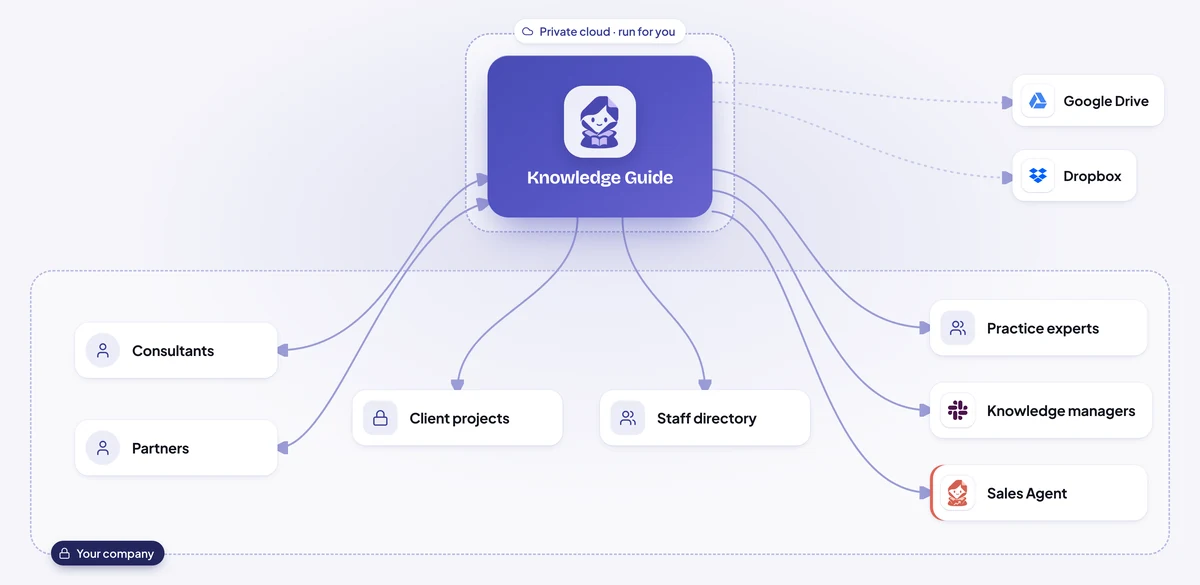
A consultant asks in Slack, such as "have we done a pricing project for a regional retailer before?" or "who knows about supply-chain carbon accounting?".
It returns the most relevant past proposals, reports, method pages and model templates, each with its source, from folders the consultant can already open.
It names the colleagues who wrote, led or answered the most on the topic, shows why, and adds their availability from the staff directory.
When a relevant project sits in a folder the consultant can't open, the agent doesn't share anything from it.
Illustrative scenarios with unnamed companies. The figures show the kind of improvement each setup is designed to deliver; actual results depend on volume, the systems connected and how the agent is configured.
We set up the Knowledge Guide AI Agent around your documents, your access rules and the questions your employees bring to HR and IT today.
Week 1
We sit with the people who do the work, map the process step by step and find the systems that hold the information. You get a written plan before anything is built.
Weeks 2 to 3
We build and configure the agent around your process: your rules, your approvals, your wording, and connections to your databases and the tools your teams use.
Weeks 3 to 4
We install it inside your infrastructure, or in our cloud if you prefer, and test it with your team on real requests until the results meet the standard you set.
From week 5
We train your employees and administrators, hand over the controls and stay with you: monthly reviews, updates you approve, and the next process when you are ready.
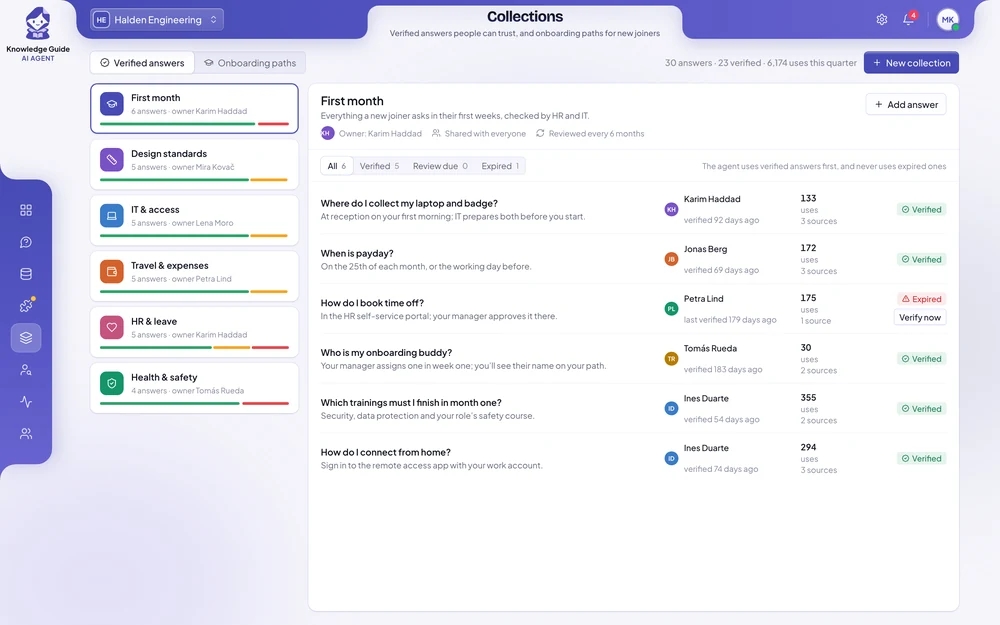
Employees ask real questions within the first weeks. Most companies see fewer repeated questions to HR and IT, and faster answers for new joiners, during the first month after going live.
It depends on the number of employees, the sources it reads and where it runs. After a first conversation you get a written proposal with the price, so you can compare it with the time your teams spend searching and answering today.
No. It takes over the repeated questions, so HR, IT and your experts spend their time on the work that needs them. Decisions and sensitive topics stay with your people.
It only answers from your own documents and always shows where the answer came from. If the answer isn’t documented, it says so and sends the question to the team that owns the topic.
Yes. You choose its sources, decide which answers are verified and which topics always go to a person, and owners approve every new answer before it is used. You can pause it at any time.
It can run on your own servers, together with its AI models, so your documents stay inside your company and no outside AI service is used. We have no access to them, and your data is never used to train AI models.
No. Each employee only gets answers from documents they are already allowed to open, following the access rules you already have.
No. It reads your intranet, Confluence, SharePoint, file shares and policy library where they are today, and employees ask in Microsoft Teams, Slack or the intranet.
The owners of your main sources, access to test versions of them, and a few hours a week from HR, IT and a handful of employees while we test.
Yes. Most companies start with one department or one set of documents, such as HR policies, see the results, and then add more sources.
Tell us where your knowledge lives, which questions reach HR and IT most often and how long new joiners take to settle in. You get a written proposal with the expected results, the setup, a timeline and a price.